
StoreCanvas · Product personalization
v1.19.0 · NOV 13, 2026
Let shoppers design the product on your page.
They add text and images and see it live. You get print-ready files with the order, on your own server, with no cut of your sales.
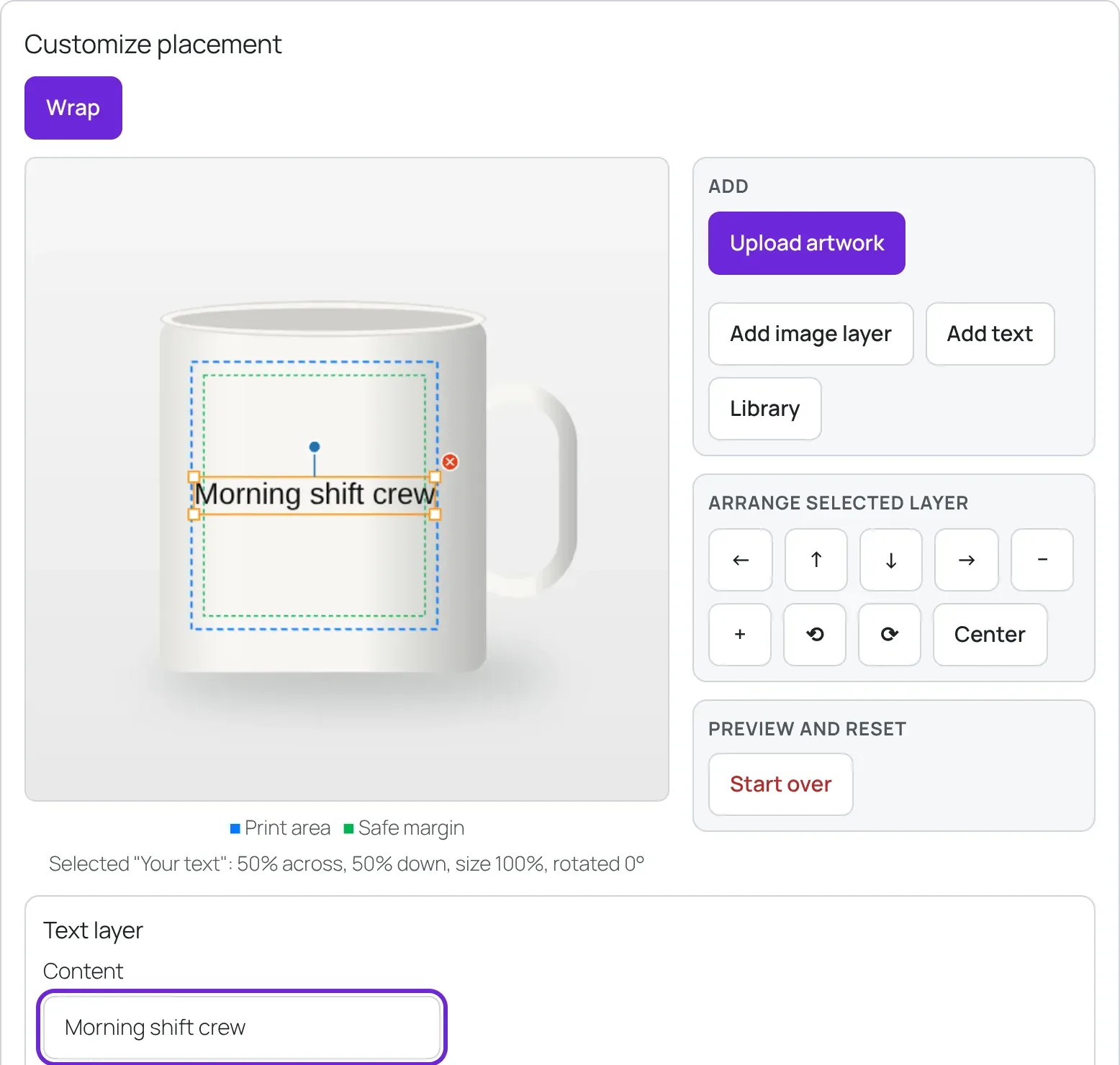
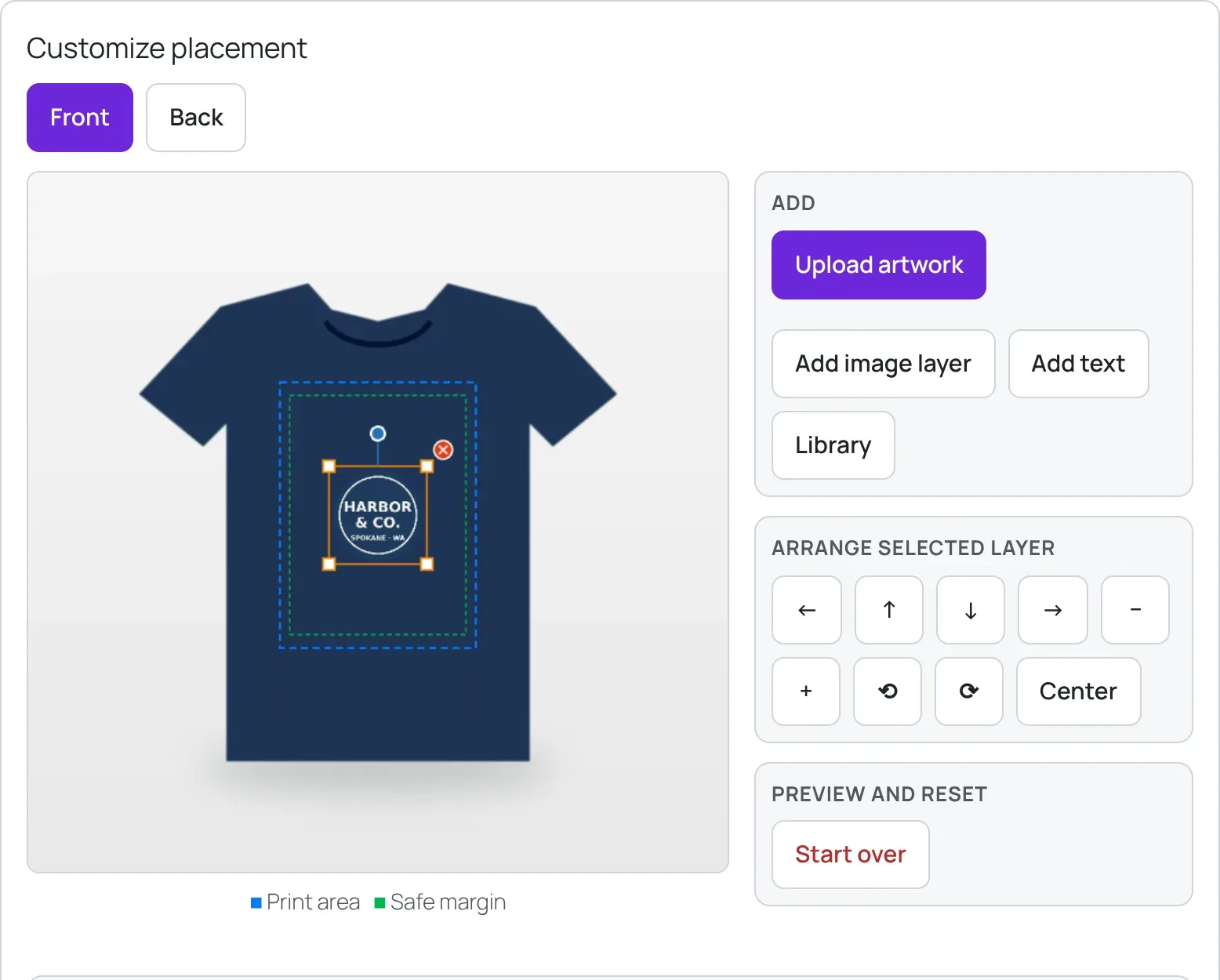
- Shoppers see what they are buying.Text, uploads and artwork appear on the product as they design it, front and back.
- You get the print file with the order.PNG, SVG and a flattened RGB PDF at true size, downloaded from the order screen.
- The files stay yours.Designs are stored in your WordPress. Nothing goes to a third party unless you connect a print service.
Pro · 3D preview and print services
Turn it, check it, send it to print.
Shoppers can turn and zoom their design on a 3D mug, T-shirt or tote, or on your own 3D model, and save a picture. When the order comes in, send the finished design to your own Printful, Printify or Gelato account and get tracking back on the order.
Output, stated plainly
What the exported files contain.
Check this against what your printer accepts before you sell. StoreCanvas does not make CMYK or PDF/X files, the formats some commercial presses require.
- PNGTrue size at your DPI, 300 by default
- SVGWraps the artwork; text is not live vector
- PDFFlattened RGB, one page
- CMYK or PDF/XNot made
- Bleed and low-resolution warningsYes, you set the limits
- Front, back and extra viewsYes
Moving from Fancy Product Designer
Bring your product setup across.
Paste a Fancy Product Designer product export on the product screen. Views, print areas and text fields come across. Uploaded images and clip-art are counted and listed for you to add again. Custom fonts, pricing rules and saved customer designs are not imported.
- Views and print areasImported
- Text layersImported as text fields, without pricing
- Images and clip-artListed, add them again
- Fonts, pricing rules, saved designsNot imported
Lite or Pro
Start with product options. Upgrade for the full designer.
| Feature | Lite | Pro |
|---|---|---|
| Priced product options, file uploads, stock per choice | ✓ | ✓ |
| Quantity discounts | ✓ | ✓ |
| Design canvas with one print area, preview and photos on the order | ✓ | ✓ |
| Several views and print areas per product | — | ✓ |
| True-size PNG, SVG and RGB PDF print files | — | ✓ |
| Product presets: mugs, shirts, prints | — | ✓ |
| 3D preview | — | ✓ |
| Printful, Printify and Gelato (beta) | — | ✓ |
| Width-by-height price grid for banners and signs | — | ✓ |
| Fancy Product Designer import | — | ✓ |
| Commission on your sales | None | None |
| Price per year | Free | $79 |
30-day money-back guarantee. If a license ends, your settings and data stay on your site. One license covers one site. All prices.
Requirements
What you need first.
- WordPress6.2 or later
- WooCommerce7.0 or later
- PHP7.4 or later
- Print service (optional)Your own Printful, Printify or Gelato account
Setup
Turn it on per product.
- Install Lite or Pro.
- Edit a WooCommerce product and switch StoreCanvas on, or start from a preset.
- Draw the print area and choose what shoppers can change.
- Place a test order and download the print files from the order.
Questions
StoreCanvas, plainly.
Where do the design files live?
On your own server. Files stay in WordPress unless you connect Printful, Printify or Gelato, which receive the print file for the orders you send them.
Do you take a cut of custom-product sales?
No. There is no commission and no per-design fee. You pay for the license and keep your sales.
Is the output CMYK?
No. PNG, SVG and flattened RGB PDF only. If your printer needs CMYK or PDF/X, ask them before you sell.
What happens with no key, or when my license lapses?
If a license ends, your settings and data stay on your site.
Can I try it first?
Install StoreCanvas Lite from WordPress.org, or try the browser demo. Pro has a 30-day money-back guarantee.
Documentation · Moving from Fancy Product Designer · Changelog · License states · Support