
Let customers design their own products — on your store.
A self-hosted product designer with 0% commission. Customers add text and images; you download true-size PNG, SVG, and flattened RGB PDF from the order. Not CMYK. Nothing leaves your WordPress for an external SaaS.
Interactive sandbox — no signup required.
Interactive sandbox — no signup required.
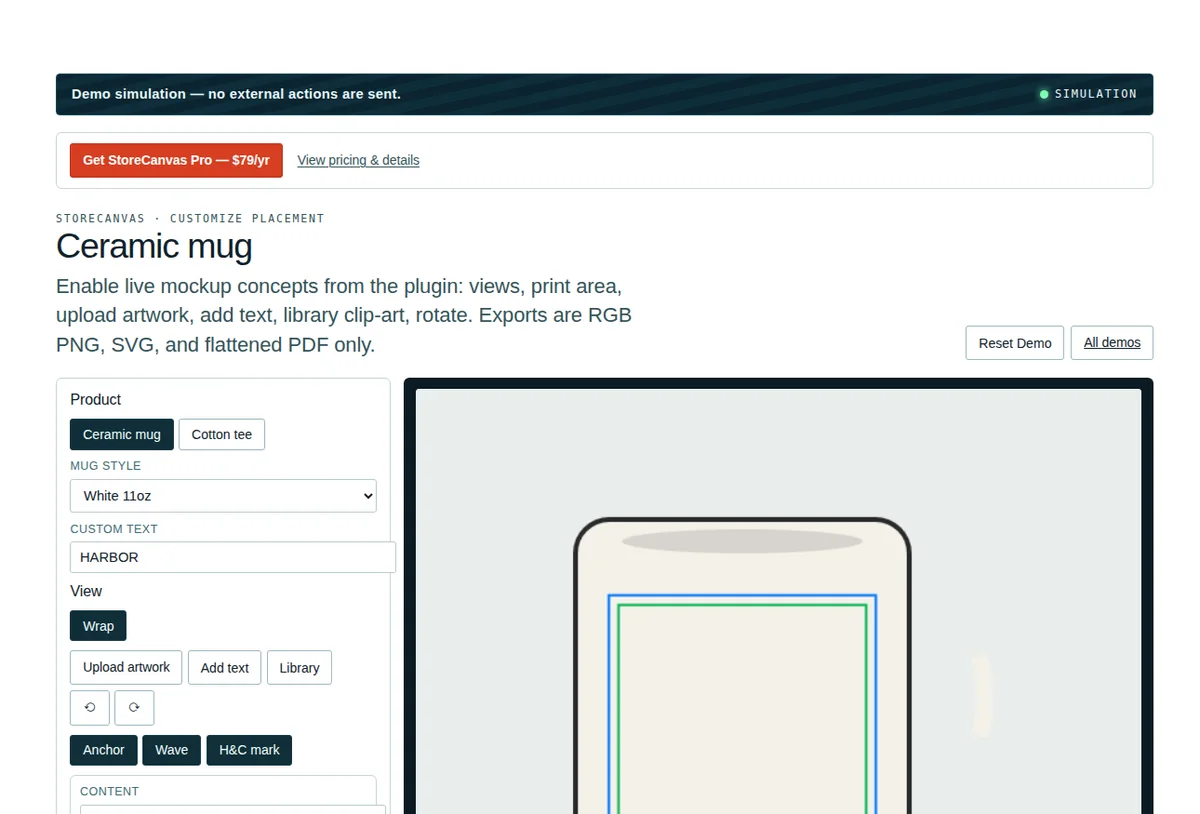
Interactive Canvas Studio Demo
Experience the 2D customizer engine live in your browser. Drag, rotate with the stalk knob, resize corner handles, and test real-time ink blend modes with zero server latency.
StoreCanvas Interactive Studio Live Demo 0% Commission
Everything you need, nothing you don’t.
The features that matter for StoreCanvas, in plain language.
Live canvas designer
Customers add text and art and see the result live before they buy.
Product presets
Mugs, shirts and prints come ready to configure.
PNG, SVG, and RGB PDF you own
Exports live on your server. Confirm RGB with your printer; this is not CMYK or PDF/X.
0% commission
No per-design fee. Sell as many custom products as you like.
Self-hosted
No external SaaS in the loop. The designer runs on your WordPress.
WooCommerce-native
Orders, variations and pricing stay inside WooCommerce.
What the exported files contain
Inspect the output format before you sell a live product. StoreCanvas does not generate CMYK or PDF/X files.
| Output | In 1.10.8 | Limitation |
|---|---|---|
| PNG | Yes | Physical size is stamped from pixel dimensions at the configured output DPI (default 300). |
| SVG wrapper | Yes | Wraps the raster artwork. Text is not exported as live vectors. |
| Flattened RGB PDF | Yes | Single JPEG page. Not CMYK, not PDF/X, not a press-ready PDF/X-1a. |
| Bleed / min DPI warnings | Yes | Merchant-configured. Strict bleed can block add-to-cart; otherwise it warns. |
| Low-resolution upload warning | Yes | DPI is estimated from pixels and the print size you set. |
| Multiple views | Yes | Front/back (and extra views) are product configuration, not a separate SKU. |
Download a sample pack (PNG, SVG, flattened RGB PDF) matching the 1.10.4 export format. It is a format sample, not a live Woo order. Confirm RGB with your print provider. The live demo is an interactive simulation — no signup required, and no external actions are sent. Need options without a canvas? StoreCanvas Lite is a separate free plugin. It is not on WordPress.org yet, so tillpress.com does not promote a zip as the install path.
Fancy Product Designer importer
Paste exported FPD product JSON on the product screen. It maps what it supports and writes a notice for the rest. Review the storefront before selling. Not a full FPD clone.
| FPD element | Imported | Notes |
|---|---|---|
| Views / product sides | Yes | View images are re-uploaded when the URL is safe to fetch. |
| Print boxes / design areas | Yes | Converted to stage-relative percentages. Missing box → default centered area, reported in the notice. |
| Text layers | Partial | Become StoreCanvas text option fields (deduped by label). Pricing on those fields is not copied. |
| Uploaded images / clip-art elements | No | Counted and reported; add artwork-upload fields yourself. |
| Custom fonts, pricing rules, saved customer designs, historical FPD versions | Not claimed | Do not expect a one-click recreation of every FPD catalog. |
Try StoreCanvas before you install it.
Customize a fictional product in the browser and see the same concepts the plugin uses on a WooCommerce product.
- Switch between the Ceramic mug and Cotton tee and their views.
- Add text or library artwork and watch the mockup update.
- Generate demo RGB PNG, SVG and flattened RGB PDF files locally in the browser.
Simulation only — no external actions are sent.
One price. No markup.
You pay for the plugin. The services it uses, you pay their providers directly.
StoreCanvas · Pricing
Or a 1-month license, $10 for seasonal or temporary use. No automatic renewal. Unused days credit the one-year key; they are not cash.
The Pro code includes a 30-day unlicensed window; public access currently starts with paid checkout.30-day refund · no auto-renew · $79 for 1 year · StoreCanvas does not use Twilio or Stripe
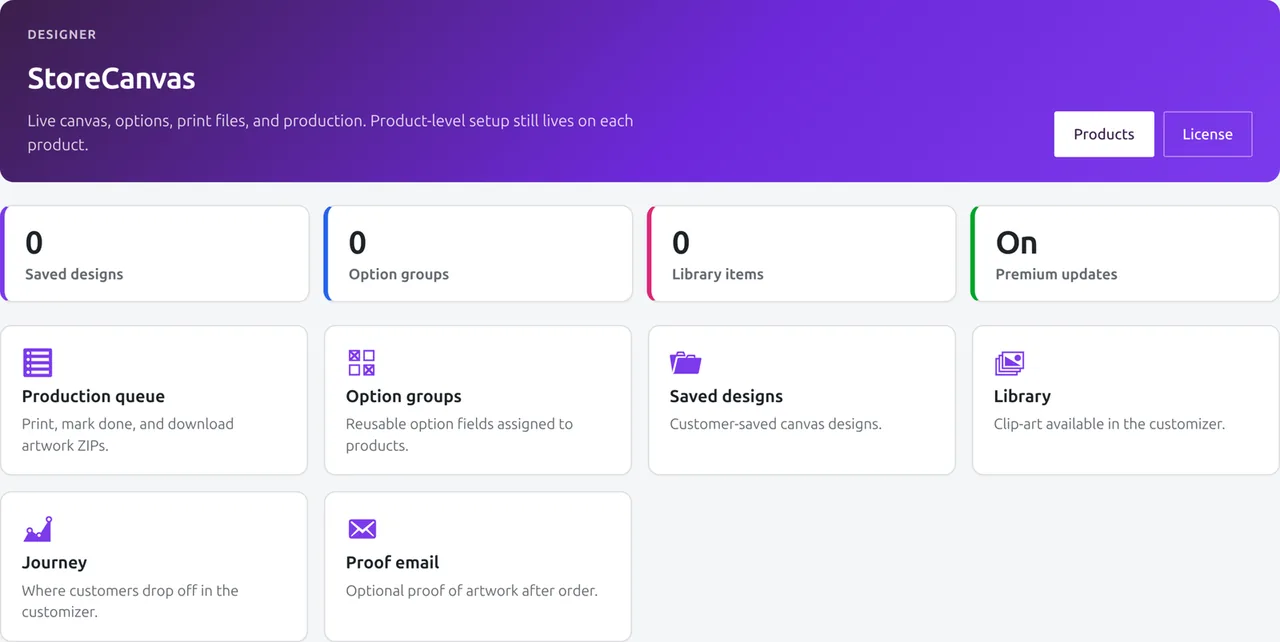
See it in the store.
Real admin screens from StoreCanvas.
Guides and comparisons
Questions
Where do the design files live?
On your own server. StoreCanvas is self-hosted, so PNG, SVG, and RGB PDF exports never pass through a third-party service.
Is the output CMYK?
No. PNG, SVG, and flattened RGB PDF only. If your printer requires CMYK or PDF/X, confirm their intake before selling.
Will it import my whole Fancy Product Designer catalog?
It imports supported views, print boxes, and text fields from pasted FPD JSON, then reports skipped image/clip-art elements. Pricing rules, custom fonts, and saved customer designs are not claimed. Review the notice and a storefront preview before you sell.
Do you take a cut of custom-product sales?
No. Commission per design is $0.00. You pay for the license and keep 100% of sales.
What products can customers design?
Presets cover mugs, shirts and prints, and you can configure your own product types in WooCommerce.
Is there an external service to sign up for?
No. Everything runs inside your WordPress install.
What happens if my license expires?
Pro features pause after the license and grace window. Your data and settings stay intact on your server:
- OrderRing Lite pickup SMS keeps running. No key.
- OrderBay basic invoices keep running. No key.
- Pro features pause after the license and grace window: OrderRing sending (SMS, voice, WhatsApp, chat, auto-notify), StoreCanvas live mockup and print export, OrderBay packing slips, branded PDFs, bulk actions, and the fulfilment desk. Settings are preserved. Renewing resumes them.
How setup works
StoreCanvas runs inside your own WooCommerce install. To make a product customisable:
- Install and activate. Upload the plugin zip and open StoreCanvas settings in the admin menu.
- Enable it on a product. Edit any WooCommerce product and switch StoreCanvas on for it.
- Define the design area. Set the printable region and choose what customers can change: text, uploaded images, colours.
- Preview and sell. Check the live canvas on your storefront. High-resolution RGB files (PNG, SVG, or flattened PDF) are generated on order and download from the order screen; you own every file. Not CMYK/PDF-X.
Output is true-DPI PNG, SVG, or flattened RGB PDF. If your printer requires CMYK intake, confirm their format first. Full walkthrough in the StoreCanvas docs.
Built for shops that print what customers design
- Print and sign shops. Customers lay out their own artwork; the production desk queues jobs and exports print files in bulk.
- Gift and merch stores. Mugs, shirts, and prints personalised on the product page, with proof-approval emails before anything prints.
- Stores leaving Fancy Product Designer. The importer maps supported views, print boxes, and text fields; advanced FPD elements may need manual rebuilding. Review its report and storefront preview before selling.
- High-volume personalisers. No per-order fees, so margins do not shrink as volume grows.
Version & requirements
- High-Performance Order Storage (HPOS): Fully compatible. Custom design metadata and print jobs attach to HPOS orders without issues.
- WooCommerce Block Cart & Checkout: Fully compatible. Real-time design previews and line-item properties carry seamlessly into block checkouts.
- Tested Compatibility: WordPress 6.2–6.8+, WooCommerce 7.0–9.x+, PHP 7.4–8.3+. Read the full compatibility reference.
Compare StoreCanvas
- StoreCanvas vs Fancy Product Designer — the maintained, self-hosted migration path.
- StoreCanvas vs Zakeke — self-hosted software vs a SaaS with per-order fees.
- Best WooCommerce product designer plugins (2026) — the full roundup.
Ready to add StoreCanvas?
Install in minutes. Pay once, or opt in to auto-renew.
StoreCanvas runs on your WordPress. Print files are RGB. No Twilio account required.